

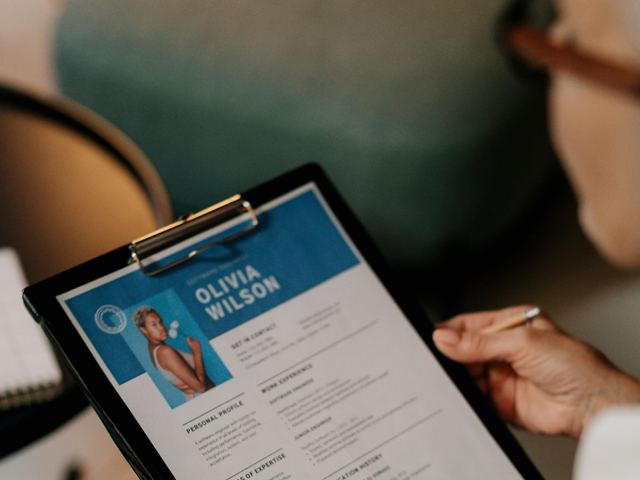
We know many cases in which top students spent weeks preparing for their dream internship and received automatic rejections. Why? Their resume formatting broke when opened on the recruiter’s system. Or students submit all the right materials, but as scattered attachments with unclear file names. Do you think they got answers? No. They never hear back.
Internship programs are more competitive than ever. This is why small structural or formatting mistakes disrupt your ability to succeed. This guide covers documents required for an internship application, how to write a cover letter for an internship, and the top 4 internship application tips.
What Is an Internship Application?
An internship application is a structured, strategically organized set of professional documents submitted to an employer. It is needed to demonstrate a candidate’s:
Specific qualifications;
Technical skills;
Professional motivation.
Rather than a mere list of past achievements, it serves as a formal pitch.
Document Component | Purpose | Typical Industry Standards |
Resume | Concise summary of skills and experience. | One-page limit, reverse chronological order. |
Cover Letter | Narrative connecting resume facts to company needs. | Single page, 3-4 paragraphs, formal tone. |
Portfolio | Visual evidence of technical/creative output. | Case-study focused, 3-8 work samples. |
Writing Sample | Proof of analytical and communicative clarity. | 2-5 pages (General) or 5-10 pages (Legal). |
Transcripts | Verification of academic rigor and consistency. | Official or Unofficial PDF, specific GPA metrics. |
What Makes a Strong Internship Application?
A strong internship application letter is defined by the seamless integration of:
Relevant experience;
High-level customization;
Meticulous professional presentation.
To do well in the internship market, a candidate must be able to make every sentence fit the specific requirements of the job they want.
Criterion | Average Application | Strong Application |
Content Focus | List of duties/responsibilities. | Results-oriented accomplishment statements. |
Quantification | Vague descriptions (many, lots). | Hard data (percentages, dollar amounts, headcounts). |
Visual Design | Multi-column, complex graphics. | Clean, single-column, ample white space. |
Tailoring | Generic, identical for every role. | Specific keywords mirrored from the job posting. |
Tone | Passive and student-focused. | Active, confident, and employer-focused. |
The difference between a strong and an average application often manifests in the technical execution.
Step-by-Step: How to Prepare and Submit Your Internship Application
Here, we want you to detail this process. You can use it as an internship application checklist.
Step 1 – Analyze the Internship Description Carefully
The job description is a technical specification provided by the employer. You should begin by conducting a forensic analysis of the posting to identify:
Core responsibilities;
Required technical proficiencies;
Preferred interpersonal traits.
This analysis is critical for navigating Applicant Tracking Systems (ATS), which are used by approximately 97.8% of large-scale recruiters to filter candidates.
Analysis Category | What to Look For | Application Action |
Hard Skills | Software, languages, certifications. | Include in the skills section and work bullets. |
Action Verbs | Manage, Develop, Research, etc. | Use these to start every resume bullet point. |
Company Culture | Values like innovation or agility. | Integrate these themes into the cover letter. |
Logistics | File types, page limits, deadlines. | Set a technical checklist for the final PDF. |
Step 2 – Build a Focused and Relevant Resume
How to write a resume for an internship? An effective internship resume is a targeted marketing document. Students should prioritize experiences that directly relate to the role, while omitting unrelated hobbies or outdated high school positions unless they demonstrate exceptional leadership. For example, you definitely must add scholarships to your resume.
Element | Professional Standard | ATS Rationale |
Layout | Single-column, linear flow. | Bots read left-to-right, top-to-bottom. |
Fonts | Arial, Calibri, or Times New Roman (10-12pt). | Standard fonts prevent character parsing errors. |
Margins | Uniform 1-inch margins on all sides. | Prevents text from being cut off during parsing. |
Section Titles | Education, Work Experience, Skills. | Standard headings help systems categorize data. |
Bullets | Simple black dots (•). | Complex icons may not be interpreted correctly. |
Step 3 – Write a Personalized Cover Letter
The internship cover letter serves as a narrative writing sample that allows the candidate to articulate their "why". It should complement the resume by providing context for specific achievements rather than simply repeating the document's facts.
Personalization is the most critical element of the internship cover letter. Why? Generic, multi-purpose templates are easily identified by recruiters. They suggest a lack of genuine interest in the role.
Section | Narrative Focus | Personalization Tip |
Opening | Identify the role and state your hook. | Mention a specific company achievement. |
Skill Paragraph | Prove fit through 2-3 matching competencies. | Use keywords from the job description. |
Closing | Reiterate interest and offer a clear CTA. | Suggest a timeframe for a follow-up discussion. |
Step 4 – Prepare Supporting Materials (If Required)
Many high-level internships require artifacts beyond the resume and cover letter. Here is what you can send depending on the field.
Field | Key Writing Sample Focus | Recommended Length |
Law / Legal | Rigorous legal analysis, memos, briefs. | 5–10 pages. |
Journalism | Published clips, "print-style" PDFs. | 3–5 clips. |
Policy / Research | Position papers, policy memos, analysis. | 3–5 pages. |
Public Relations | Press releases, pitches, brochures. | 1–2 examples. |
Step 5 – Organize, Standardize, and Prepare for Submission
Even perfect documents fail if submitted in formats the recruiter's system cannot open. Unprofessional file names are also a problem. You must ensure all documents are converted to PDF format to preserve layout and typography across different devices.
Submission portals frequently impose strict file-size limits, as low as 2MB or 5MB. To manage these constraints and provide a streamlined experience for the recruiter, you can use PDFAid.com. This online PDF editor provides tools for:
Converting varied file types to high-quality PDFs;
Merging multiple documents, such as a resume, cover letter, and transcript, into a single, cohesive submission file;
Compressing large PDF files.
While alternatives like Adobe Acrobat exist, PDFAid offers students more immediate access.
Submission Task | Action Required | Required Standard/Tool |
Preserve Layout | Convert to PDF from .docx or .rtf. | PDF format is the industry default. |
Consolidate | Merge PDF files if requested as one unit. | Prevents fragmented email attachments. |
Reduce Size | Compress PDF to meet portal limits. | Aim for under 2MB to 5MB per file. |
Professionalism | Rename files using a standard convention. | First_Last_DocumentName.pdf. |
Review | Final layout check for formatting drift. | Use a PDF editor for final adjustments. |
How to Make Your Internship Application Stand Out
Here are the top 3 recommendations for you on how to attract attention to your internship resume.
Maintain Clean and Professional Formatting
Recruiters associate a clean, logical document structure with high-level cognitive organization. A cluttered or overly designed resume often detracts from the content and leads to immediate dismissal.
Design Pillar | Professional Application | ATS Implication |
Layout | Single column, standard margins (1"). | Easier for bots to read top-to-bottom. |
Typography | Standard sans-serif (Arial/Calibri). | High parsing accuracy; no character errors. |
Visual Elements | Bullet points (simple dots), lines. | Avoids garbled text in symbols. |
Sections | Clear, standard headings (Education). | Helps bot index data to the right field. |
Customize for Each Opportunity
The most successful internship candidates are researching the organization’s recent milestones, mission statement, and core values. Then, you should add that knowledge to the cover letter and resume summary.
Present a Cohesive Application Package
You need a visual and narrative consistency:
Using the same header (personal information) on the resume, cover letter, and writing sample cover sheet;
Using a consistent font and color palette.
A unified application reinforces the impression that you are organized.
Conclusion
So, key takeaways:
Replace routine responsibility lists with data-driven accomplishment statements. They must prove value through quantifiable results.
Prioritize technical stability. Always submit documents in a standardized PDF format with professional naming conventions.
Use identical headers and typography across all submission materials.
We hope our article helped you to make your internship application process easier and straightforward.
FAQ
What documents are required for an internship application?
The essentials are usually a resume (your highlights reel) and a cover letter (your why). Some roles may ask for extras (a portfolio, transcript, or references). But only if they truly matter for the role.
Should I send my internship application as a PDF?
Yes. PDF is the closest thing to a “what you see is what they see” guarantee. It locks your layout and makes sure your carefully aligned sections don’t fall apart on someone else’s screen.
Can I combine my resume and cover letter into one PDF?
You can. And it often feels cleaner. Imagine it as a mini-book: cover letter as the opening chapter, resume as the main content. Just make sure the job posting doesn’t require separate uploads. Why? Because instructions always outrank convenience.
How large should my internship application file be?
Small enough to travel fast. Ideally, under a few megabytes. It must upload instantly and not get stuck in filters. If your file feels heavy, it’s usually images or design elements weighing it down. We recommend you streamline and keep the focus on content.
How do I fix formatting issues in my resume PDF?
When a PDF looks messy, it’s usually a translation problem between programs. Go back to the source file, tidy spacing, then export again (not “print to PDF”, but a proper export). Open it on another device — if it looks good there, you’re ready to send.