


Most job seekers spend more time adjusting margins than customizing their content. You know the drill—tweak the spacing, fiddle with fonts, move sections around. Three hours vanish while you're still formatting instead of actually applying to jobs. A template saves hours of formatting time, yeah, but more importantly—you actually get past ATS filters.
Good news: you don't need to pay a designer or build something from scratch. Free Resume Templates designed for how 2026 hiring actually works handle the technical stuff and still look professional.
Start with the right foundation and you'll spend less time on fonts, more time getting interviews.
What Makes a Resume Template Actually Work in 2026
ATS compatibility isn't optional. These systems reject up to 75% of resumes before anyone human sees them. If your template uses text boxes or columns, it's getting filtered out.
Clean and scannable beats fancy. Unless you're applying to creative roles where visual design matters—game designers, web designers—simplicity works better. The mistake most people make is thinking a "creative" resume shows personality. It actually shows you didn't research how hiring works.
Don't use:
- Tables or text boxes (ATS can't read them)
- Graphics or icons for key information
- Multi-column layouts that confuse parsing software
Role-specific optimization matters more than you'd think. Python developers need technical skills upfront. HR managers need leadership metrics prominently placed. Backend developers can stay minimalist. Game designers get more visual flexibility, but still need to pass ATS first.
The best Free Resume Templates balance professional design with ATS compatibility. They're built for specific roles, so the information hierarchy already matches what recruiters in that field look for.
Free Templates by Career Path
Technology & Development Roles
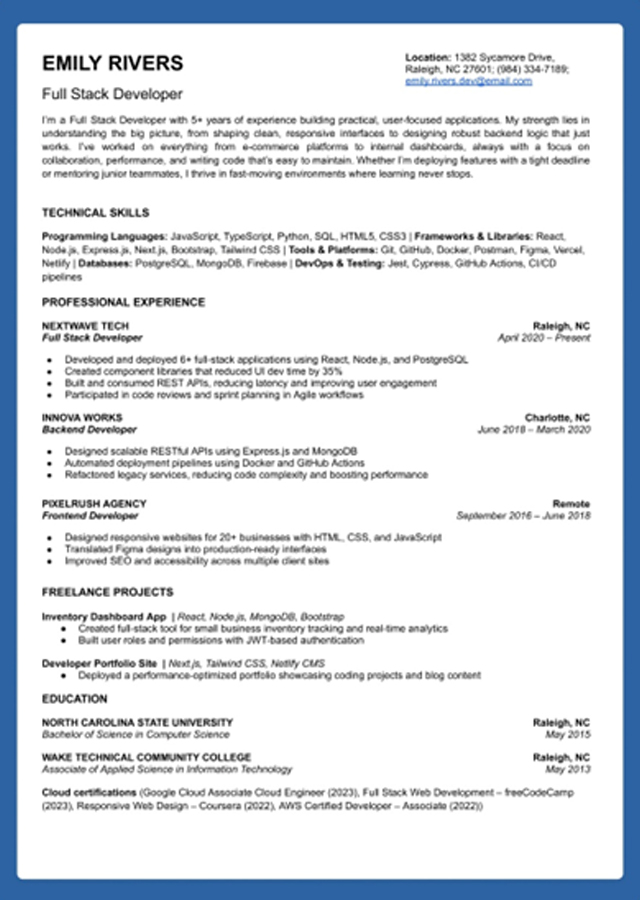
Minimalist layouts work best here. Tech recruiters scan for skills and experience fast—they don't need visual flair. The Full Stack Developer template keeps technical skills sections prominent, usually right after your summary or even before work experience.
The differences matter though. DevOps templates emphasize infrastructure and deployment experience upfront. UI Developer templates showcase front-end projects and design tools more prominently. Backend Developer layouts stay clean and minimal. Same field, different priorities depending on your specialization.
Creative & Design Positions
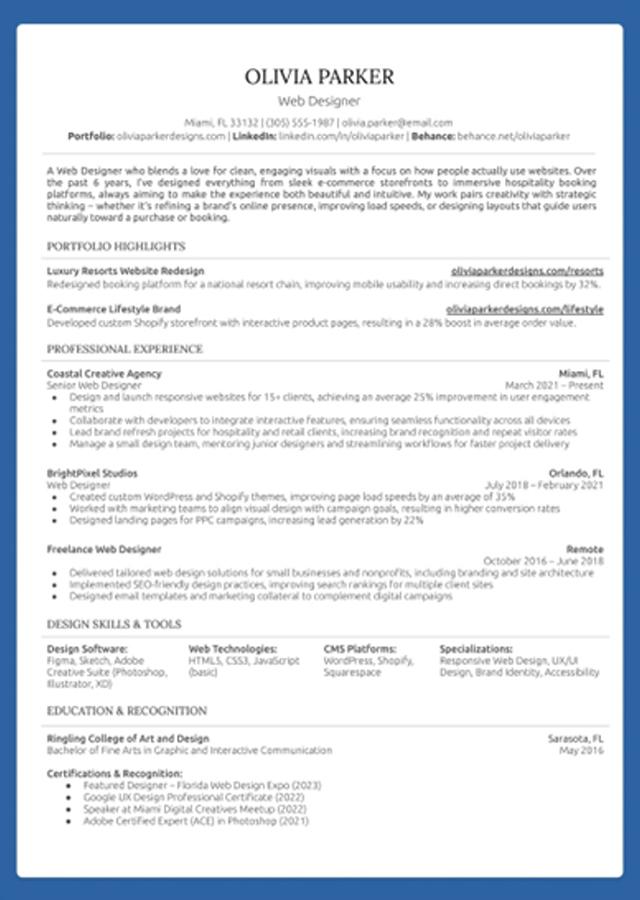
The Web Designer template has more visual flexibility while staying ATS-compatible. It includes portfolio integration sections because your work matters as much as your resume. You need to stand out, but you still need to pass automated screening first.
Worth noting: even creative templates avoid columns, text boxes, and complex formatting. Game Designer templates follow similar principles—visual appeal without breaking ATS parsers.
Business Leadership & Marketing
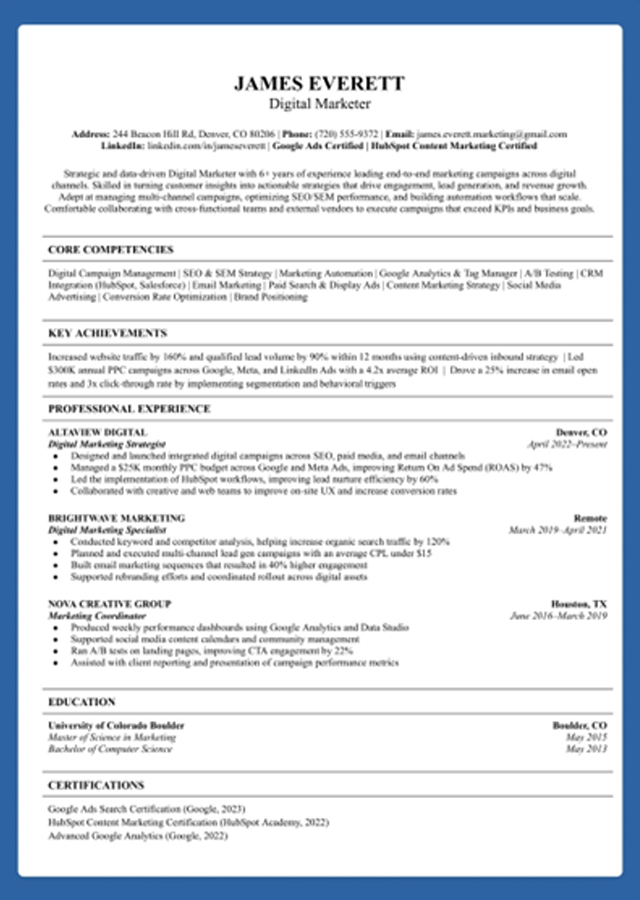
The Digital Marketing template prioritizes leadership experience and measurable campaign results. The visual hierarchy shifts—instead of skills-first layouts, it puts management accomplishments and metrics upfront.
Cross-functional experience gets prominent positioning here. HR Manager and IT Manager templates work similarly, emphasizing team leadership and organizational impact over individual technical contributions.
More Role-Specific Templates Available
These three cover popular career paths, but there are templates built for Data Analysts, QA Testers, Python Developers, JavaScript Developers, IT Managers, HR Managers, and more. Each one's optimized for what recruiters in that specific field look for—technical skills for developers, testing methodologies for QA roles, leadership metrics for managers. Browse the full collection to find the template that matches your target role.
What to Do Once You've Downloaded Your Template
Customize the content, not the structure. Keep that ATS-friendly layout intact while personalizing your information. Moving sections around breaks compatibility.
Create role-specific versions. Backend Developer and Full Stack Developer positions need different emphasis even with similar backgrounds. One resume doesn't work for everything.
Update for each application. Generic resumes get filtered out faster in 2026. Tailor your skills to what each job posting emphasizes.
Track which version you send where. Applying to 15+ positions gets messy fast. You'll forget which companies got which version, where you are in each process, when to follow up. That's where most people lose momentum.
Organized application tracking becomes essential when managing multiple versions and opportunities simultaneously.
Common Template Mistakes to Avoid
Using templates with tables or text boxes. ATS can't parse them properly. Stick with simple formatting—it's boring but it works.
Over-designing for roles that value clarity over creativity. Backend developers don't need graphics. Save the visual flair for actual design roles.
Forgetting to update contact information in the header. This happens more than you'd think. You download a template, customize the content, and send it with the example email still there. Double-check before every application.
Sending identical templates to IT Support versus Software Development roles. These jobs have different priorities. IT Support emphasizes customer service and troubleshooting. Software Development focuses on technical skills and projects. Use templates built for each.
Conclusion: Start with the Right Foundation
The right template saves time and improves results. Role-specific templates matter more than finding one "perfect" resume—a Data Analyst's needs differ from a Game Designer's.
ATS-friendly design doesn't mean boring anymore. Modern templates handle the technical requirements while still looking professional.
Stop perfecting fonts and start applying. Download a template that matches your target role, customize your content, and get it out there. The job search gets easier when you're not fighting with formatting every time you apply.
Your resume is the foundation. Build it once, build it right, then focus on what actually gets you hired—applying to roles and following up consistently.